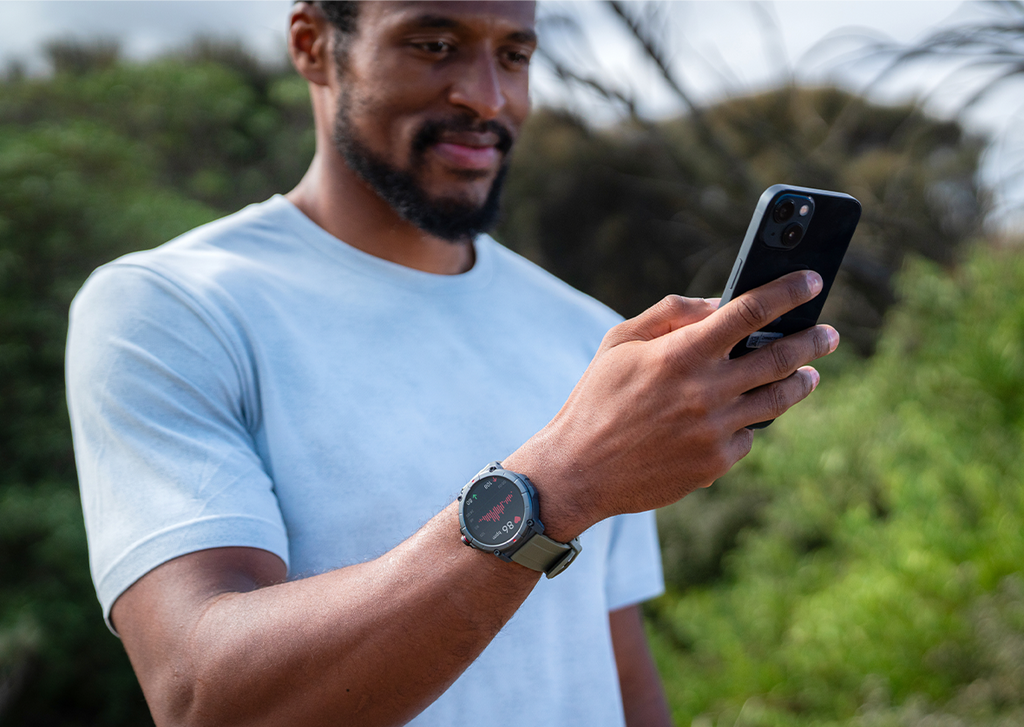
Ryze Gene Smart Watch
- AMOLED display
- Activity Tracking
- Heart Rate, Blood Oxygen, Stress Levels and Body Energy indicator
- 110 sports modes
- Bluetooth calling and connectivity
- GPS satellite tracking
- Air Pressure, Altitude and Compass
- Event Reminder and Pomodoro Timer
- All-Day Health Management and alerts
- Sleep Monitoring and Ambient Noise Measurement
- Feminine Health Monitor
- Streamlined health check
Go next level with the Ryze Gene fitness and wellbeing smartwatch. Thoughtfully designed to help you better manage daily routines and productivity, it empowers you at every phase of your fitness journey. gene tracks workout stats and key health biometrics to give you a clear picture of your wellbeing. It can help you manage productivity, has GPS for outdoor tracking and lets you make and receive calls and messages plus play music.
Explore our full range of smart watches online, including our Ryze Trek and the Ryze Wave to find the best fit for you and your pursuit of wellbeing. Or check out the holistic health capability built into our sleek Ryze Element Smart Ring.
*Please note, this is not a medical device.
Shipping
We aim to dispatch orders from our warehouse in one business day from time of purchase, although this can be delayed due to item availability or seasonal backlog. Estimated standard shipping times for metro areas are between 2-5 business days, however during busy periods shipping can take up to 10 days. See full shipping info
Returns
In order to organise a return under these terms and conditions, you must notify us via the Contact Form within 30 days of taking delivery of your product and request a return under this policy. See full returns info
Our goods come with guarantees that cannot be excluded under the Australian Consumer Law. You are entitled to a replacement or refund for a major failure and for compensation for any other reasonably foreseeable loss or damage. See full warranty info
Ryze Gene Smart Watch
Scroll to section
Made to go to the next gear
Ready to reach higher? Gene has GPS to track outdoor activity and 110 Sports Modes for challenging yourself. Scan biometric status at a glance, make calls, do messaging and play music via Bluetooth.
110 Sports Modes
Body Energy monitoring
GPS Satellite Tracking
Feminine Health Monitor
Bluetooth calling and connectivity
Features for moving forward
Self-care? You’re set
Stay linked to your life
Get active outside
Feeling and looking good
What's in the box
1 x Ryze Gene Smartwatch
1 x Additional strap
Also included: 1 x magnetic charging and cable, and a user manual
How’s it compare?
Description
- AMOLED display
- Activity Tracking
- Heart Rate, Blood Oxygen, Stress Levels and Body Energy indicator
- 110 sports modes
- Bluetooth calling and connectivity
- GPS satellite tracking
- Air Pressure, Altitude and Compass
- Event Reminder and Pomodoro Timer
- All-Day Health Management and alerts
- Sleep Monitoring and Ambient Noise Measurement
- Feminine Health Monitor
- Streamlined health check
Features
- AI Run Companion & More
- AMOLED Display
- Anti-Bacterial Watch Strap
- Bluetooth Calling and Connectivity
- Bonus Colour Strap Included
- Breathing Training
- Feminine Health Monitor
- GPS Tracking
- Heart Rate & Blood Oxygen
- Sleep Monitor
- Sleep Tracker & Feminine Health
- Sports Mode Activity Tracker
- Stress Level & Breathing Training
- Stress level monitoring
- Track Steps, Distance & Calories
- Walk/Run Auto Recognition
- Your Virtual Running Mate
Specs
Description
The Ryze Wave fitness and well-being smartwatch tracks every stage of your fitness journey. From gym enthusiasts to newcomers, the Ryze Wave empowers you to become the champion you aspire to be. The Ryze Wave is your catalyst for reaching new heights in personal performance. Unlock your full potential with Wave. Talk, listen, and run with your Ryze Wave smartwatch.
- AMOLED Display
- Bluetooth Calling and Connectivity
- Activity Tracking
- Heart Rate, Blood Oxygen and Stress Level Monitoring
- Seventy Sports Modes
- MP3 Storage, Music Playback and TWS Support
- Sleep Monitor
- Feminine Health Monitor
- Breathing Training
Features
- AMOLED Display
- Anti-Bacterial Watch Strap
- Breathing Training
- Feminine Health Monitor
- Heart Rate & Blood Oxygen
- Sleep Monitor
- Sleep Tracker & Feminine Health
- Sports Mode Activity Tracker
- Stress Level & Breathing Training
- Stress level monitoring
- Track Steps, Distance & Calories
Specs
Description
As you track through your day, Ryze Flex quietly gathers your health and wellbeing data, delivering up-to date, accurate and insightful health information to your fingertips so you can increase, tweak or change your fitness goals.
- View call, text and social media notifications, and control your music
- Track your heart rate, blood oxygen, stress, and steps stats
- Use the free RYZE App to select your relevant health info in real time
- Regular hydration and walking reminders
- 25 Sports Modes for calorie counts
- AI run companion
- Sleek and lightweight design with antibacterial strap
Why Choose Ryze Flex?
When it comes to a smart watch that does it all, the Ryze Flex fitness and wellbeing smart watch is the way to go. The Ryze Flex tracks through your day and allows you to use the Ryze app to see your health data in real time. With access to accurate, real-time data you're able to tweak and update your daily health goals to suit you.
The Ryze Flex fitness tracker is the perfect companion if you've been looking for a sleek and reliable smart watch that can help you hit your fitness and wellbeing goals. Explore our full range of Ryze smart watches online including the Ryze Elevate and the Ryze Evo so you can find the perfect fitness smart watch to suit you and your lifestyle.
*Please note, this is not a medical device.
Features
- Anti-Bacterial Watch Strap
- Breathing Training
- Feminine Health Monitor
- Heart Rate & Blood Oxygen
- Premium Strap Design
- Sleep Monitor
- Sports Mode Activity Tracker
- Stress Level & Breathing Training
- Stress level monitoring
- Track Steps, Distance & Calories
- Walk/Run Auto Recognition
- Your Virtual Running Mate
Specs
Description
With so much tech packed into a wearable, the Ryze Elevate smart watch is designed to bring the best biometric information to your fingertips and can be controlled via Amazon Alexa. Simply increase, tweak, or change your fitness efforts to reach your goal and prime you for your next one.
- Use voice activation through Amazon Alexa
- Measure your heart rate, blood oxygen, stress, and steps stats
- View call, text and social media notifications, and control your music
- Use the free RYZE App to select your relevant health info in real time
- Regular hydration and walking reminders
- 25 Sports Modes for calorie counts
- Sleek and lightweight design with antibacterial strap
- Bonus alternative colour strap
Why Choose Ryze Elevate?
If you're looking for a wearable smart watch that has some of the best tech in the game, the Ryze Elevate is the perfect thing for you. Our Ryze Elevate smart watch is able to track your activity levels and biometrics at the click of a button as well as allowing you to view call, text and social media notifications.
With the ability to tailor your fitness goals to suit you right from your wrist, the Ryze Elevate smart watch is a game changer for anyone looking to level up their workouts! Take your workout to the next level with the Ryze Elevate fitness and wellbeing watch.
Explore our complete range of sports watches online, including the Ryze Evo and the Ryze Flex to find the perfect fit for you.
*Please note, this is not a medical device.
Features
- Anti-Bacterial Watch Strap
- Bonus Colour Strap Included
- Breathing Training
- Heart Rate & Blood Oxygen
- Seamless Alexa Built-In Integration
- Sleep Tracker & Feminine Health
- Sports Mode Activity Tracker
- Stress Level & Breathing Training
- Stress level monitoring
- Track Steps, Distance & Calories
- Walk/Run Auto Recognition
Specs
Tech specs
See how Gene performs to help your performance.
Accessories & spare parts
Common FAQs
Got a question? Checkout our most asked – they could fast track you to the answer you need. Or check our Expertise Hub for further helpful info.
Wearing the Ryze smart watch
To get the most out of your Ryze smart watch, it’s important to make sure you’re wearing it properly so the monitors can gather data accurately.
How to wear your Ryze smart watch
Please ensure the smart watch is fastened comfortably, and if your skin becomes irritated, please take it off and let your skin breathe.
Skin irritation can happen for the following reasons.
- Skin friction or rubbing
- Skin exposure to irritants such as sweat, soap or other cleansers left on wearables
- Pre-existing allergies
Not too tight
Wearing an overly tight watch can trap sweat and cause skin irritation as well as impact the monitor.
- If you find the watch particularly uncomfortable to wear, please either adjust the watch strap or take it off.
- If your skin becomes irritated, please stop wearing the watch for several hours or a few days until your skin has healed. If the symptoms persist or worsen, consider seeking medical advice.
Not too loose
Your watch should be snug but comfortable. If the wrist-based watch sensors are not reading your heart rate, try tightening the strap a little bit and keep the watch two finger widths above the wrist. Do loosen the watch after a workout.
Keep things dry and clean
It’s important to make sure your skin is dry before wearing your watch. Wearing a wet device for an extended period will irritate the skin.
After exercising, please make sure you thoroughly clean and dry your hands, wrist and watch strap.
Traces of soap, cleaners and detergents left on the device may irritate the skin.
Use ‘soap free’ cleaner when you clean your watch.
There are several steps to go through to pair your Ryze smart watch to the App. Please follow this link and refer to the relevant manual for your watch model, which has clear steps to guide you through the process.
Please scan this QR code to download the Ryze Connect App or review the manual for further information.
Your user data is securely stored on Amazon Web Servers (AWS). This means your Ryze wearer’s sensitive and private data is encrypted and won’t be leaked, accessed or seen by anyone-but you. Read more
The Ryze Gene has an IP68 protection rating that is used in the mobile phone industry. The rating defines a product’s protection against exposure to water and dust.
Ryze Gene is swim proof. This means the watch is suitable for shallow water activities including swimming. It can be worn during a cold-water shower, indoor pool and open water. The watch can survive spills and splashers.
The watch is NOT suitable for deep diving, in a spa/hot tub, in a hot spring, sauna or high temperature steam environment.
- Ensure that the operating system of your mobile phone is Android 6.0 and above, or iOS 9.0 and above.
- Ensure you have the latest version of the App installed on your smartphone.
- Turn the phone’s Bluetooth off and then on again.
- Please fully recharge the smart watch.
- Make sure the smart watch is close to the phone.
- Reset the smart watch to factory settings and pair again following the manual instruction.
- If your device is currently connected to another phone and you would like to pair it to a new phone, first you need to turn off the Bluetooth of your connected phone.
If the other phone is an iPhone, you will also need to delete the Trek smart watch from its Bluetooth device list after turning off the connected phone's Bluetooth. Go to iPhone "Settings" > "Bluetooth" > "My Devices", find the connected device and tap the ⓘ icon next it and then tap 'Forget this Device'.

After that, use the Ryze Connect app installed on your new phone to search and pair with the device. - Restart your mobile phone.
Connect your Ryze Gene smart watch to Ryze Connect App to acquire current location via the Assisted GPS (AGPS) feature before starting an outdoor workout (for example, outdoor run) that requires a satellite location fix.
- In the App, go to the Device tab. Tap on Ryze Gene thumbnail image along the top end of the phone screen. Find AGPS Update and tap Manual Update button next to it then wait for a while to complete location acquisition.
- Go outdoor into an open area and face the smartwatch towards the sky.
- On Ryze Gene smart watch, start an outdoor run workout. Follow on-screen prompts and remain stationary for a few minutes to enhance satellite reception.
Please note environmental factors such as tall buildings, trees and thick cloud may interfere with the smart watch’s ability to acquire signals.
Try the following steps for troubleshooting.
- Ensure the is no visible obstruction between the device and the smartphone. Metal jewellery may interfere with the stability of Bluetooth connection.
- Ensure the device does not have a low or flat battery. Recharge the device if necessary.
- If your device is currently connected to another smartphone, turn off and disable the Bluetooth of the connected phone. If the device is currently connected to an iPhone, you will also need to delete the device from its Bluetooth device list after turning off the connected phone's Bluetooth. Go to iPhone "Settings" > "Bluetooth" > "My Devices", find the connected device and tap the ⓘ icon next it and then tap 'Forget this Device'.
- If you are connecting the device to an iPhone, go the phone "Settings" > "Bluetooth" > "My Devices". If there are many paired devices, try reducing the number of paired devices by tapping on the ⓘ icon next to a paired device name and then tap 'Forget this Device'.
- Restart the phone Bluetooth
- Restart the phone.
To update the weather data, you must sync the smart watch with the Ryze Connect App. Try the following in sequence:
- Enable location service on your smart phone.
- Turn off your smart phone Wi-Fi and turn on the phone’s 4G data network.
- Check that the Ryze Connect App has been granted access the phone’s location so that the App can determine your location automatically. If the App cannot determine your location, weather data will not be available. For better service, enable GPS to improve positioning accuracy.
- Check that the smart phone has stable internet connection. Being indoor or in an enclosed environment may result in loss of GPS and therefore inability for the App and the watch to obtain updated weather forecast information. Please move to an open area and try again.
When the smart watch remains connected to the Ryze Connect App, the App periodically sends updated weather data to the watch. However, when network coverage is poor, weather data may not be synced. In this case, earlier weather data is displayed (if available), or the message “data unavailable” is displayed. - Do the following
- Check that the smart watch is connected to the App.
- In the App, tap Device menu. Tap More settings. Then enable (disable then re-enable again) the Weather Push function. Click < to save the setting change. Next, go to Home menu and swipe down the phone screen to complete a data sync.
- Open Ryze Connect App. Ensure the smart watch is connected to the App.
- In the App, go to the Device menu and tap Notifications.
- Tap on Select to set Notification Access. In the following screen, turn on the switch for Ryze Connect to enable notification access. Then tap < to save the setting.
On iOS devices, you also need to enable system notifications. Go to the phone’s Settings > Bluetooth, find Ryze Trek, tap the ⓘ icon next it and then turn on Share System Notifications.

- For iOS devices, go to the phone’s Settings > Notifications > Show Previews and check that it is set to Always.
- Power off your phone and power on again, but do not use the Restart option
Ensure that Bluetooth is always connected. The smart watch does not display notifications for messages or calls that are received while Bluetooth is disconnected. The smart watch will not receive notifications after the device is set to DND (Do Not Disturb) mode.
The smart watch does not download the weather data directly. To update the weather data, you must sync the smart watch with the App. Try the following in sequence:
- Enable location service on your smart phone.
- Check that the Ryze Connect App has been granted access the phone’s location so that the App can determine your location automatically. If the App cannot determine your location, weather data will not be available. For better service, enable GPS to improve positioning accuracy.
- Check that the smart phone has stable internet connection. Being indoor or in an enclosed environment may result in loss of GPS and therefore inability for the App and the watch to obtain updated weather forecast information. Please move to an open area and try again.
When the smart watch remains connected to the Ryze Connect App, the App periodically sends updated weather data to the watch. However, when network coverage is poor, weather data may not be synced. In this case, earlier weather data is displayed (if available), or the message “data unavailable” is displayed. - If the smart phone is connected to a Wi-Fi network, please turn off the Wi-Fi on your smart phone and try switching to the phone’s 4G network.
- Open the Ryze Connect App then do the following:
- Go to Device menu. Check that the smart watch is connected to the App.
- Under Device menu, tap More settings. Ensure that Weather Push and Automatic positioning is enabled. Tap < twice to save the settings and return to the Device menu.
- Go to Home menu and swipe down the phone screen to complete a data sync.
- Open the Ryze Connect App then do the following:
- Go to Device menu. Check that the smart watch is connected to the App.
- Under Device menu, tap More settings. Ensure that Music Control is enabled. Tap < once to save the settings and return to the Device menu.
- Go to Home menu and swipe down the phone screen to complete a data sync.
The accelerometer and algorithms that the device uses to count your walking steps are highly sensitive, even small differences may affect the accelerometer and algorithms. You must provide accurate personal data during the device’s initial configuration. For example, if you enter wrong gender, height, weight, or age, it could result in inaccurate exercise data, such as incorrect counting of steps, distance, or calorie. In addition, factors such as your arm swing, stride, posture, road surface, and slope can also affect the step count.
Factors like wearing the device too loosely, swinging your arms, or sliding of the device over your skin can impact heart rate readings. In addition, wearing the device too tightly, raising your arms, or clenching your fists can affect blood circulation, which also affects sensor performance. When testing your heart rate, it is recommended that you keep your arm straight, remain static, and relax your muscles. Ensure that the device remains in close contact with your skin. Even when you wear the device correctly, individual differences such as skin colour, body hair, tattoos, and scars can also affect heart rate sensor performance slightly.
To improve step count accuracy, the device has a minimum threshold of steps. Steps are registered when you have walked more than 10 consecutive steps (20 steps at night).
The smart watch does not need to be connected to your phone to store exercise or sleep data. To sync data from the device, enable Bluetooth on your phone and ensure it is within range of the device.
The smart watch can retain up to seven days’ exercise and sleep data in typical use.
Open the App. Go to the Home menu where you can view your last Exercise record. Tap the Exercise card to view all records. Exercise initiated on the smart watch will be marked with a watch icon. Tap on a workout to view its details.